Table of Contents
Your Website Was Deleted but It Is Not Really Gone
Many people search online for phrases like restore old website, recover deleted website, website files lost, or how to restore a site that was deleted from server. This situation happens more often than you may think.
A website can disappear for many reasons. The hosting account expires. The server crashes. A hacker deletes files. A developer makes a mistake. Sometimes there is no backup at all. When this happens, most people think the website is gone forever.
But in reality, many websites are still saved online in a different place. Archive.org, also known as the Wayback Machine, stores copies of millions of websites from the past. If your site was online for some time, there is a very high chance it was saved there.
The problem is that Archive.org is not designed for easy website recovery. It lets you view old pages, but it does not help you rebuild a full website with working links, images, and structure.
This is exactly the moment when a service like Archivarix becomes very useful. It helps you download a website from Archive.org and restore it in a clean and usable form.
If you are searching for how to restore a website deleted from server, this solution can save you a lot of time and stress.
Why Manual Website Recovery from Archive.org Is So Difficult
Some people try to recover their website manually. They open archived pages one by one. They save HTML files. They download images. They try to fix links.
This method almost never works well.
A real website is not just a few pages. It has menus, internal links, categories, images, styles, and scripts. Archive.org stores pages in a special format that is not ready for direct use.
Common problems with manual recovery include broken internal links, missing images, wrong URLs, and pages that still point to archive.org instead of your domain. Fixing all of this manually can take weeks.
For people who search for recover website from archive.org or download website from wayback machine, manual tools usually lead to frustration.
Archivarix was created to solve exactly this problem. It automates the full recovery process and rebuilds the website structure correctly.
Instead of downloading chaos, you get a working website that you can upload to your hosting.
How Archivarix Helps You Restore a Website Easily
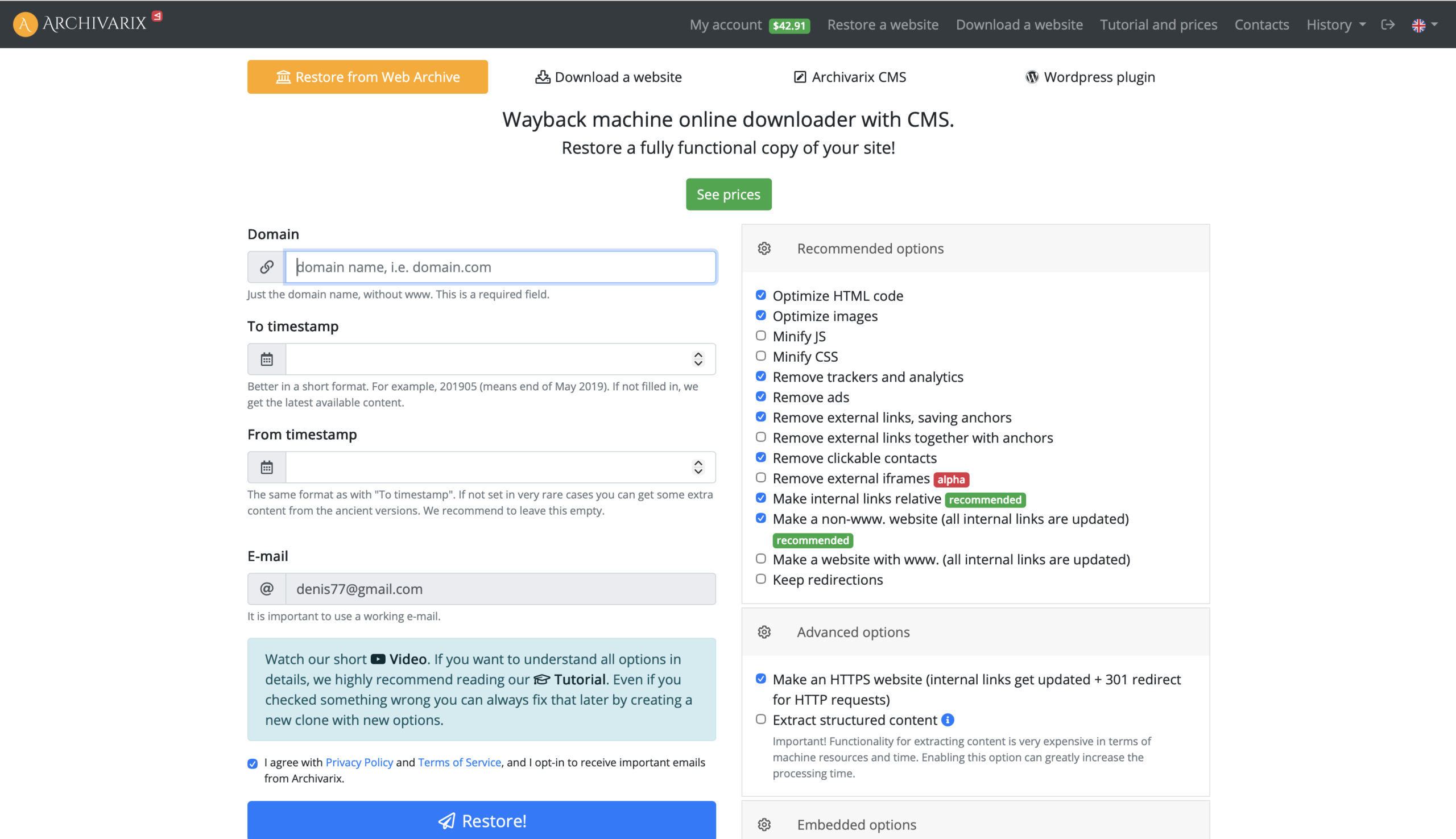
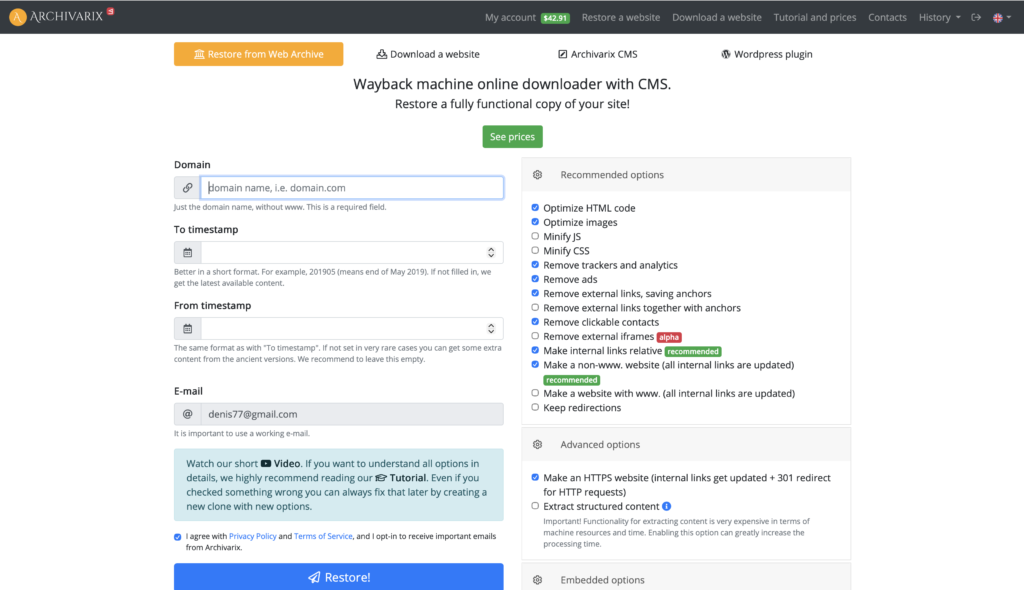
Archivarix is an online service that restores websites from Archive.org automatically. You do not need technical skills. You do not need scripts. You do not need to understand how the Wayback Machine works.
The process is simple.
- You enter your domain name into Archivarix.
- The system scans Archive.org and finds all available snapshots.
- It collects pages, images, and internal links.
- It rebuilds the website with correct URLs.
- In the end, you get a restored website that looks very close to the original one.
This is why Archivarix is often recommended to people who search for restore website from archive, recover old site, or rebuild deleted website.
You can download the restored website or upload it directly to your server. The files are clean and ready to use.
This makes Archivarix one of the easiest ways to recover a website that was deleted or lost.
SEO and Business Benefits of Restoring an Old Website
Restoring an old website is not only about saving content. It is also about SEO and business value.
Search engines care about domain history. If your website had traffic, backlinks, and indexed pages, restoring it can help you recover lost SEO positions.
Many people buy expired domains because they have strong backlinks. But backlinks alone are not enough. Search engines expect real content behind those links.
With Archivarix, you can restore the original content so backlinks make sense again. This is very important for SEO recovery.
For business owners, restoring an old website can mean recovering leads, trust, and brand presence. For marketers, it can mean restarting a profitable project instead of building everything from zero.
This is why keywords like restore old website SEO, recover website content, and restore expired domain are very popular.
Archivarix helps turn archived data into a real working website again.
Why Archivarix Is a Smart Choice for Website Recovery
There are many tools that promise website recovery, but most of them are complex or unreliable.
Archivarix stands out because it focuses on simplicity and real results. It is built specifically to work with Archive.org data and rebuild websites correctly.
If your website was deleted from the server, lost after a crash, or disappeared years ago, Archivarix gives you a practical solution.
You do not need to guess. You do not need to rebuild everything manually. You use archived data and turn it into a working site.
For anyone searching how to restore a deleted website or how to download website from archive.org, Archivarix is one of the most efficient tools available today.
Sometimes the fastest way forward is to bring back what already worked before.
FAQ
Yes, in many cases you can. If your website was online for some time, Archive.org may have saved multiple copies of it. These copies include pages, images, and other resources. Using a service like Archivarix helps turn these archived pages into a real working website again.
This is one of the most common situations. Even without a server backup, your website may still exist in Archive.org. Archivarix allows you to download and restore the site from archived snapshots, even if your hosting account is completely gone.
You can restore a full website, not just individual pages. Archivarix scans Archive.org for all available pages of your domain and rebuilds the website structure with working internal links, menus, and images.
No advanced technical skills are required. Archivarix is designed for non technical users. You only need basic knowledge of how to upload files to hosting or use WordPress. The complex recovery work is done automatically.
Yes. Even if the original site was built with WordPress, the restored version will be a static website. You can upload it as is or import the content into WordPress using plugins or manual tools.
In most cases, the restored website looks very close to the original version. Layout, content, and images are usually preserved. Some dynamic features may not work, but the core content and structure are restored.
Yes, it can be very good for SEO. Restoring old URLs and content helps keep backlink value and domain history. This is especially useful for expired domains or websites that previously ranked in search engines.
Yes. Many people use Archivarix to restore expired domains with backlinks. Restoring the original content helps backlinks make sense again and improves trust with search engines.
You should only restore websites that you own or have the rights to use. If you buy an expired domain, you should review copyright rules in your country. Archivarix provides the tool, but responsibility for content usage belongs to the user.
The time depends on the size of the website. Small sites can be restored in minutes. Large websites with many pages may take longer, but it is still much faster than manual recovery.
After restoration, you can upload the website to your hosting, connect your domain, and start using it. You can also update the design, improve content, or migrate it into a CMS like WordPress.
Manual tools are slow and difficult to use. Archivarix automates the entire process, fixes internal links, and rebuilds the website correctly. This saves time and reduces errors.
Yes, Archivarix is specifically designed to work with Archive.org data. This allows it to handle archived URLs and snapshots correctly and produce clean website files.
If some pages were never archived, they cannot be restored. However, Archivarix selects the best available snapshots and restores as much content as possible.
Archivarix is ideal for website owners, business owners, SEO specialists, marketers, and anyone who lost a website or wants to restore an old domain.